
- Products description
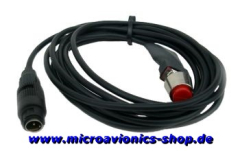
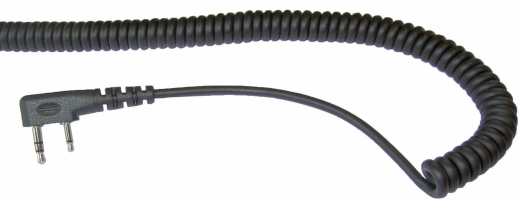
You want to run a second radio alongside your PM-100 — say a GA unit with a twin jack, so you can also listen to air traffic on the ground? This connection cable makes it possible. The PTT button sits in the cable at shoulder height, exactly where your hand rests during flight anyway — press, transmit, no searching required. Just choose the right one for your device and plug it in.
Why choose this
- Connects a second radio with GA connectors to the PM-100
- PTT button in the cable at shoulder height — transmit without searching in flight
- Ready-made, plug-and-play — no soldering, no fiddling
- Fits into the proven MicroAvionics system
Technical Details
- Function: second radio cable for the PM-100
- Connector: GA connector (twin jack)
- PTT: built into the cable at shoulder height
Who is this for?
For PM-100 pilots who want to run a second radio with GA connectors alongside it, for example to also listen to air traffic control on the ground. You'll only need this if your second radio has the GA connector — you'll already have your cable for the first radio.
Is this right for you?
A radio cable for the active PM-100 (MP001 series) that connects a second radio with GA connectors — that is, twin jack/PJ (two separate jack plugs, the standard in general aviation) — via the Aux bayonet connector. Comes with a PTT (push-to-talk) button in the cable. Important: radio cables are model-specific — this one only fits the GA twin jack. For Icom, Kenwood or Yaesu you'll need the matching cable for that radio.
What's included
Included: a ready-made radio cable with a GA twin jack and a built-in PTT button at shoulder height. You may also need: the second radio itself.






MicroAvionics Germany © 2026 | Template © 2009-2026 by modified eCommerce Shopsoftware